# Ajouter/Editer l'achat d'une concession
#### 1. Ouvrir la fiche concession
- Je vérifie que je suis bien en Mode Gestion ([🔎](https://filez.apgl64.fr/books/gestion-du-cimetiere/page/comment-savoir-dans-quel-mode-je-suis))
- Je clique sur mon emplacement et j'ouvre la fiche
[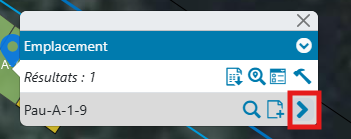](https://filez.apgl64.fr/uploads/images/gallery/2025-12/UlNimage.png)
- Je clique sur le lien du formulaire de concession
[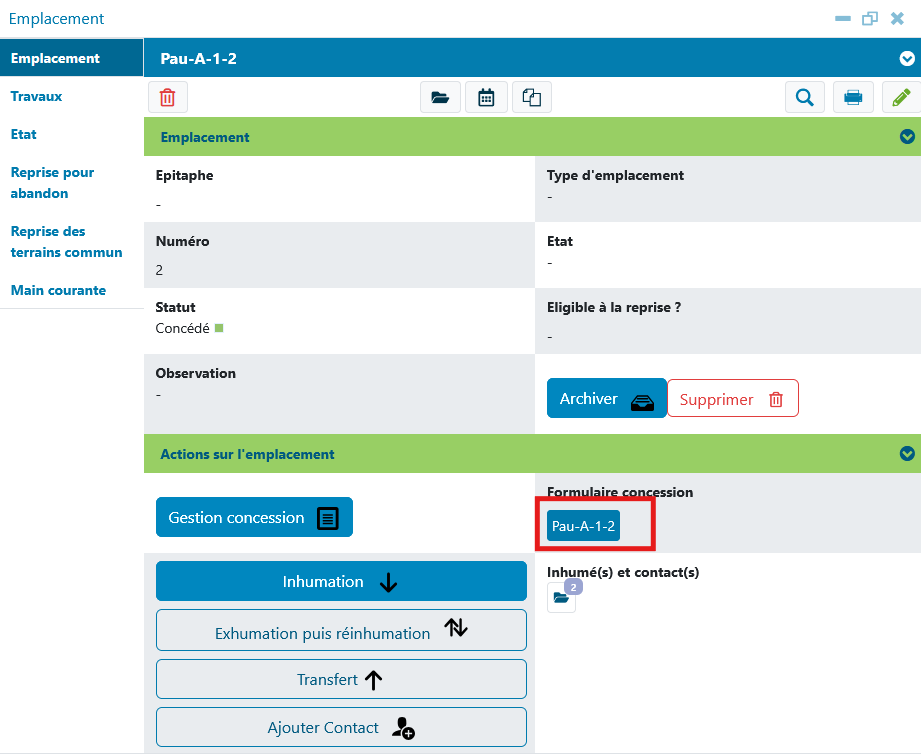](https://filez.apgl64.fr/uploads/images/gallery/2025-10/4pcimage.png)
#### 2. La fiche Achat
- Sur la fiche Concession, je clique sur Achat
[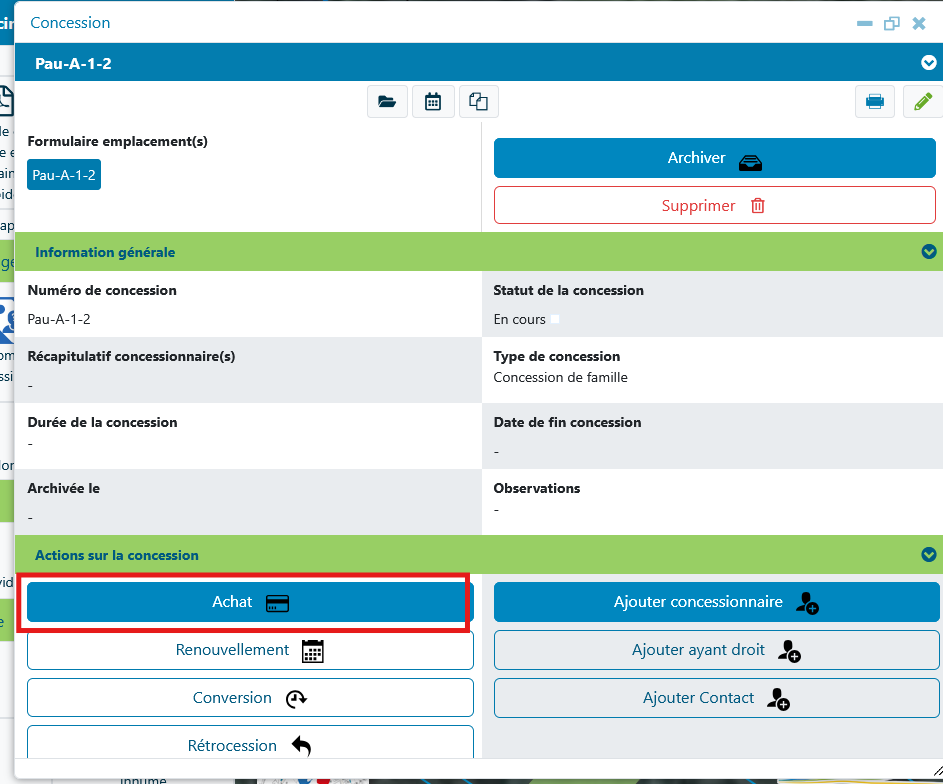](https://filez.apgl64.fr/uploads/images/gallery/2025-10/HO1image.png)
- Je saisis les informations liés à l'achat [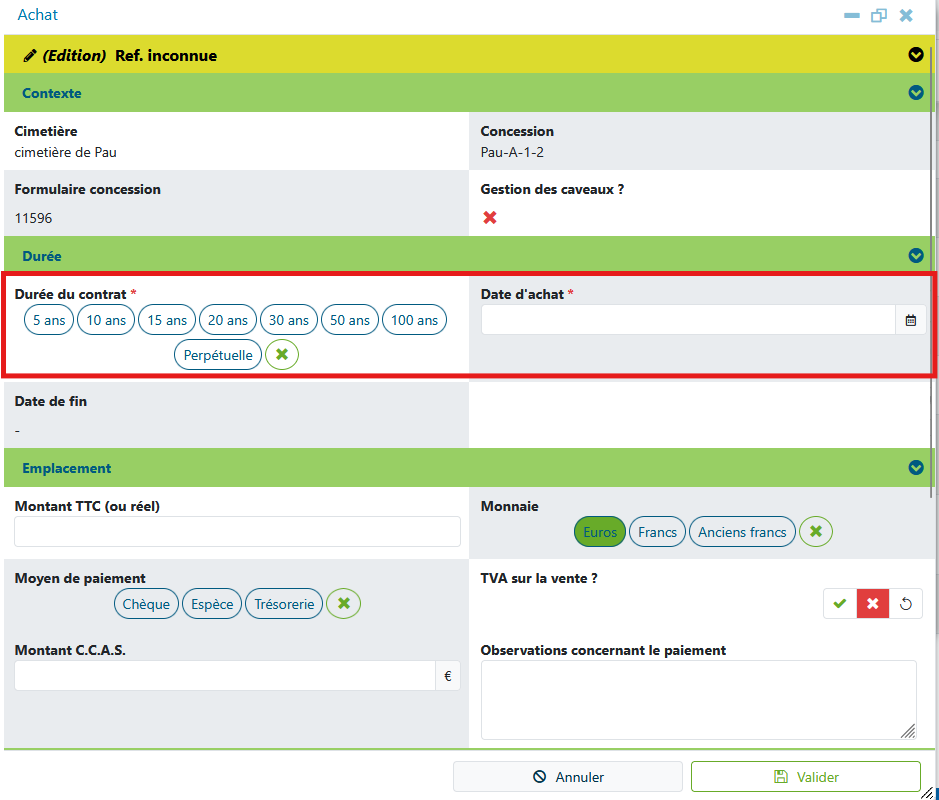](https://filez.apgl64.fr/uploads/images/gallery/2025-10/CTfimage.png)
La **durée du contrat** et la **date d'achat** sont les seuls champs obligatoires
Plus bas, je peux également éditer un modèle de contrat si je le souhaite :
[](https://filez.apgl64.fr/uploads/images/gallery/2025-10/Vr7image.png)
Ou ajouter mon contrat en pdf :
[](https://filez.apgl64.fr/uploads/images/gallery/2025-10/CWQimage.png)
Je peux ensuite **Valider **ma fiche.